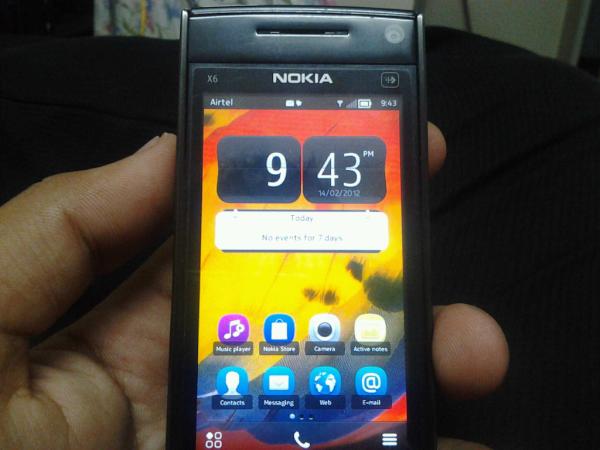
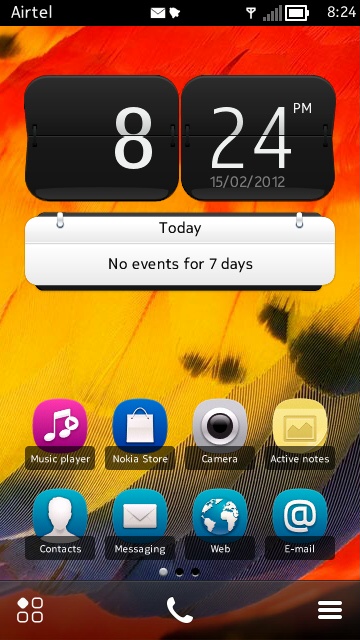
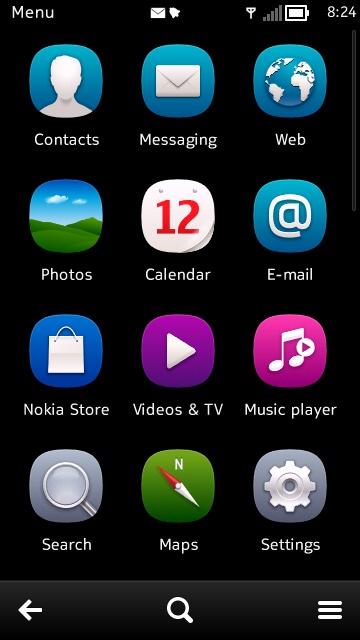
With Nokia S^3 users getting their smartphones updated to the fresh new Nokia Belle, the S^1 smartphone users particularly those having s60v5 touchscreen smartphones are a bit worried about having the outdated Symbian OS with a dull look as Belle is not compatible with those s60v5 smartphones due to hardware capability. This is over as s60v5 users can also have the 100% Belle look on their smartphones with the new app called Belle Shell.
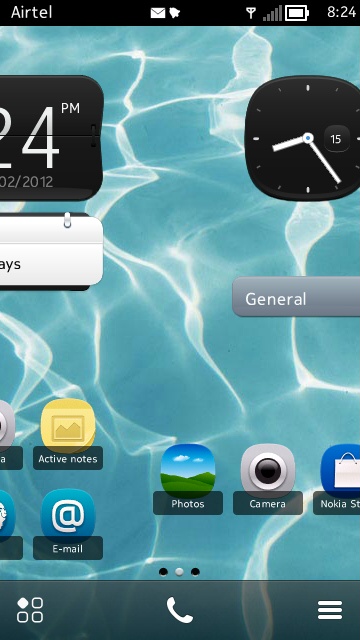
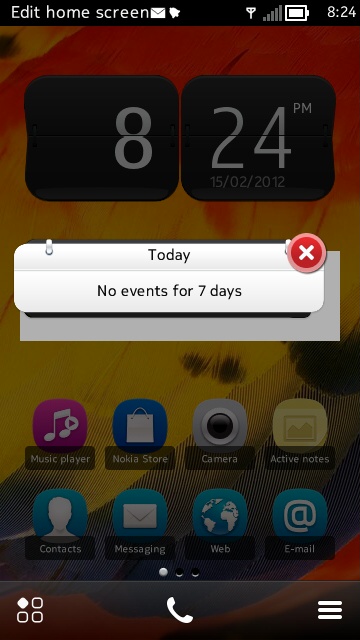
This is quite a great app which gives the complete look of Nokia Belle including all six homescreens and fully customisable widgets with separate wallpapers on each home screen. We can also add shortcuts of apps in the homescreen. Although this app is bit memory consuming, it is worth using. Another feature that is like in this is the live scrolling between the homecreens and also the drop down bar which includes Flash option too so that a third party app may not be needed to use the flash as torch.
We can fully customize the homescreen with the widgets that come with this app and also add our own shortcuts for our apps too. There are five widgets that come with this app- Digital and Analog clock, profile, calender and also contacts widgets.
And with this app, we can also get the menu bar as found in Belle with customisable folders giving a all new look to the s60v5 smartphone.
Though this app is not available for free, this app is much worth than its given price. This app can be downloaded from Nokia store here. The app developer has given the app demo on a Nokia 5800. This app is available for 5230, 5800, N97, 5530, and X6.
Foursquare launched its update with the new improved "Explore" feature for Android and iPhone four days ago. The location based social app received its new update yesterday with all new NFC (Near Field Communication) support for Android 4.0 smartphones which is Galaxy Nexus only at present. With this update, Android 4.0 users can use their NFC phones to check-in by tapping against a NFC tag and also can share the places they have visited by tapping with other NFC enabled phones.
According to Holger Luedorf, VP of Mobile and International at Foursquare,
The user experience is great. You just hold your phone against the tap [point]. The checkin screen automatically pops up with the right venue. You’re basically shaving very valuable seconds off the checkin process. We try to leverage the native experiences and APIs that are available through the platform as those usually drive the best user experience. We’re trying to leverage this because we feel that pinpointing someone down to a location through an NFC chip definitely has some value.
When Microsoft bought Skype late last year everyone was expecting Skype to be rushed out onto theWindows Phone platform. However, we're now a couple of months on and Skype still isn't available on Microsoft's operating system.
That could be about to change though because in an interview at CES Rick Osterloh, Skype's Vice President of products, stated that the company is working on Windows version of Skype.
Many expected Microsoft would integrate the Skype application deeply into its operating system, but this first version will be a stand-alone application. No launch date was given but its expected to launch soon !
Microsoft need to make the Skype partnership work because they paid a whopping $8.5 billion for the company. This application will be only the first in a number of important Skype releases on Microsoft's Windows Phone platform and once we get any more news about a release date we'll let you know.
As World Rally Championship (WRC) is getting hotter, everyone needs to get the latest news and info. Nokia being a sponsor of WRC, has brought an app called "WRC Live" providing exclusive news and media on WRC. This app also provides real-time mapping and also live progress of teams and all other stuff in one place. In this post, I'll cover an in-depth review of "WRC Live" app.
So What's special about this app for which it got 1 million downloads? This app is available for both S^1 and S^3 devices. I'll go through each one separately.
S^3 WRC Live App:
I have used over 100 apps and found nothing unique expect the usual "Loading..Please wait" and similar stuff. But the WRC Live app is rather different. The Loading screen of the app brings the racing fever to its maximum. See the below images to find it out:
The clutch is out and the throttle is up. Let the racing begins... The home screen of the WRC app consists of transparent tabs with a quick info of the latest news and tabs for results, teams and media and also the details of the last completed race. For this instance its Wales Rally GB.
Inside the "Rallies &Results" tab, We have the Ranking, Player and the total. We can also find the total of the player and the Team which is pretty good. There is also "Rally Calender" where we can find quick info on the Rallies.
There is also the "Championship standings" of the player with details of their total. Its Sébastien Loeb in the top for the eighth year in a row.
Now moving on to the "Drivers & Teams", We can find the details of the Rally drivers, co-drivers, teams and also there is "Hall of Fame" to remember the legends.
Next is the "Media" tab where we can find all exclusive images and videos and there is "Near Live" which is my favorite.
Another great feature in this app is that Nokia has added Nokia Maps (formerly "OVI maps") in this app that shows the track and also the split time difference. So you'll never miss anything.
Installation:
We went through the app almost completely. So what's next? Download the app from the Nokia Store, Install it through Nokia Suite or right from your mobile.
After installation, you can find the WRC Live app under "Applications" which is the default location.
Launch it. Sit back and enjoy the Race. Mission accomplished.
S^1 WRC Live App:
Now moving on to S^1 devices, this app is available for both S40 and S60 Nokia devices. This is similar to that of S^3 app only with a few modifications.
The Homescreen of the App contains the transparent tabs for "Rallies&Results", "Teams&Drivers", "News" and "Media".
First moving on to the "Rallies & Results", We can see the Rallies and also the Championship standings in the Rallies. All in one place.
Next comes the "Drivers&Teams" tab under which we can find info of Drivers, co-drivers and Teams and moreover this is the Hall of Fame.
We can click on the each tile to have the complete details of them of which some are below.
We have the "News" tab next which is also one of the cool features of this app. We can quickly skim over the news or read them completely.
And last but not the least is the "Media" tab for complete entertainment. This app provides the complete media of WRC organised in one place.
So, that's all about the S^1 WRC Live App.
Installation:
So You are now ready to take the race. Download the App Nokia Store here
This App is also exclusively available for Lumia Windows Phone. I have no Lumia WP yet. In fact I'm writing this detailed Review post so that I can win one from Nokia Connects
A new facebook app called "Fascinate" has showed up in the Nokia Store. This app is similar to that of the Facebook app fMobi. This app has a swipe interface and includes all the features for a social networking app including chat.
We can scroll over the news feed, update our status, check in, upload photos, view over the events and there is also a notification window.
This app is supported by S^1 and S^3 devices and also has a homescreen notification widget. It is available for free in Nokia Store here